
The Ultimate Digi Yatra Guide 2026: Everything You Need to Know Before You Fly Pros, Cons & Is It Worth It?
Digi Yatra Guide is exactly what I wish someone had handed me the first time I walked up to a Digi Yatra e-gate at Delhi airport, unsure whether I was supposed to scan my face, my ticket, or just stand there and hope for the best.As someone who flies almost every month for Traveller Scoop […]

Digi Yatra Guide is exactly what I wish someone had handed me the first time I walked up to a Digi Yatra e-gate at Delhi airport, unsure whether I was supposed to scan my face, my ticket, or just stand there and hope for the best.
As someone who flies almost every month for Traveller Scoop research trips, I have used Digi Yatra at more than ten different airports now, and I have seen it go from a shaky pilot project to something that genuinely saves fifteen to twenty minutes at the terminal.
This Digi Yatra Guide is written from real experience, not copied from a press release, so you know exactly what to expect before you fly.
If you have searched “Digi Yatra Guide” hoping for a simple explanation without government jargon, you are in the right place. I will walk you through what Digi Yatra actually is, how the Digi Yatra app registration works, which airports support it in 2026, and whether your face data is really safe.
By the end of this Digi Yatra Guide, you will know exactly how to use it on your next domestic flight.
What Is Digi Yatra?
Digi Yatra is a facial-recognition-based, paperless boarding system developed by the Digi Yatra Foundation under India’s Ministry of Civil Aviation. In simple words, your face becomes your boarding pass.
Once you register, the app links your facial data to your flight PNR for that specific journey, and airport e-gates scan your face instead of asking for a physical ID or boarding pass at entry, security, and sometimes even the boarding gate.
What surprised me most during my research is how fast the system has scaled. As of mid-2026, Digi Yatra has crossed 10 crore (100 million) passenger journeys and over 2.4 crore app downloads, and it is now live at 38+ airports, up from just 14 in 2023.
The Ministry of Civil Aviation has confirmed plans to add 27 more airports by 2027, which will take total coverage to around 65 airports nationwide.
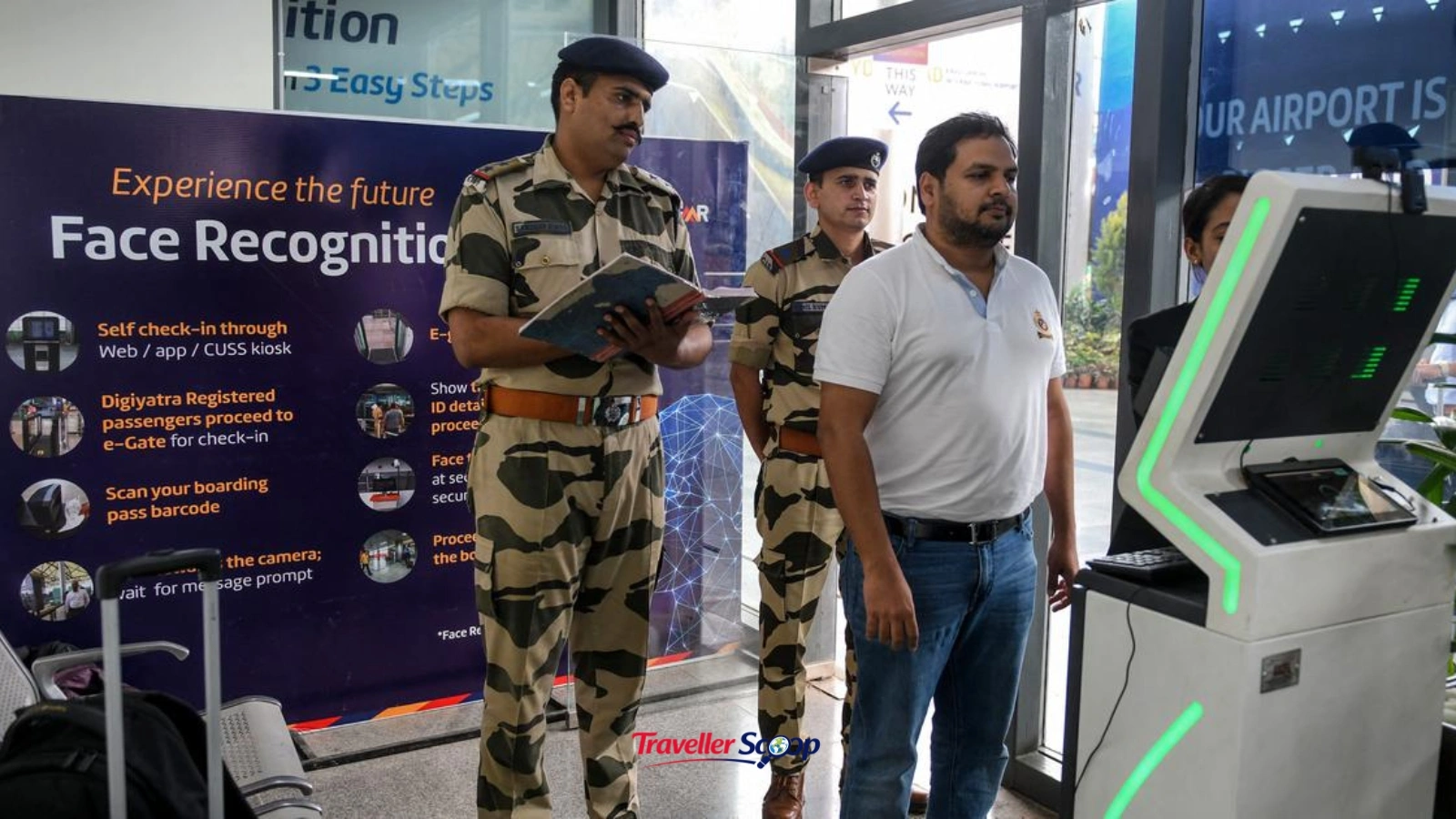
How Does Digi Yatra Work: Step by Step
If you’re using Digi Yatra for the first time, the process is much simpler than it sounds. Once you complete the one-time registration, every future journey becomes faster because your face acts as your boarding pass at participating airports.
Here’s how the process works:
1. Complete a One-Time Registration
- Download the Digi Yatra app on your smartphone.
- Register using your Aadhaar-linked mobile number.
- Verify your identity through Aadhaar authentication.
- Capture a live selfie within the app.
- The app securely creates your Digi Yatra ID, linking your facial credentials with your profile for future travel.
2. Add Your Flight Details
- Before every trip, open the Digi Yatra app and add your flight information.
- You can either:
- Scan your boarding pass QR code, or
- Enter your PNR or booking details (depending on the airline’s support).
- Once verified, your flight is linked to your Digi Yatra profile for that specific journey.
3. Receive a Secure QR Code
- After your flight details are successfully added, the app generates a dynamic, encrypted QR code.
- This QR code is valid only for your upcoming flight and is designed with privacy and security in mind.
- It contains encrypted travel information required for airport verification.
4. Scan the QR Code at the Airport Entry Gate
- At participating airports, head to the dedicated Digi Yatra e-gate.
- Scan the QR code displayed on your phone.
- The system retrieves the encrypted travel information and prepares for identity verification.
5. Facial Recognition Verification
- After scanning the QR code, the camera at the e-gate captures a live image of your face.
- The system compares your live facial scan with the facial data linked to your Digi Yatra profile.
- This verification happens within seconds using facial recognition technology.
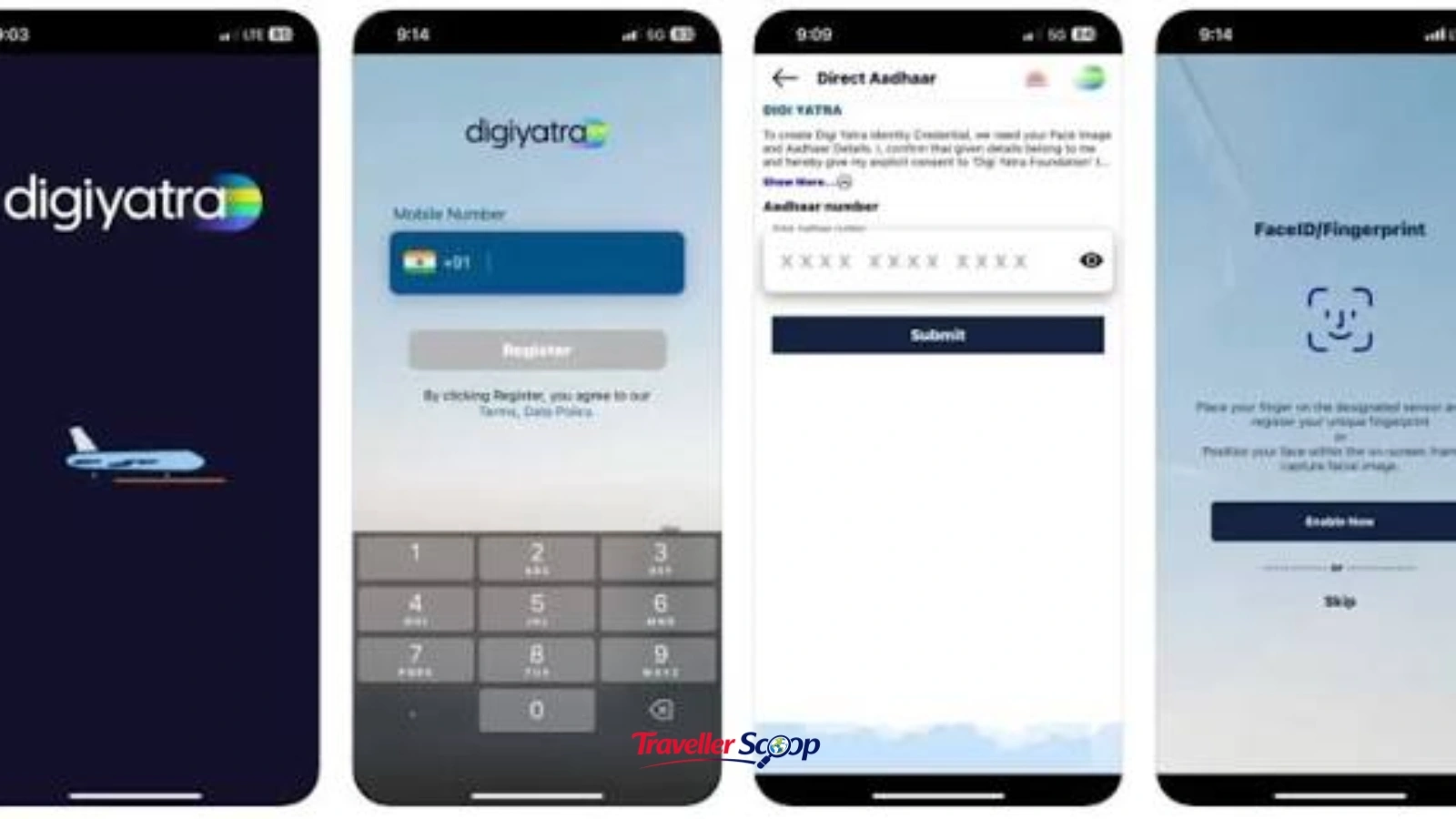
Digi Yatra Registration Process (App Download and Setup)
Here is the exact registration process I followed the first time, and it took me under seven minutes:
- Download the official Digi Yatra app from the Play Store or App Store, never use a third-party APK.
- Enter your mobile number and verify with the OTP.
- Upload your Aadhaar details for identity verification.
- Take a live selfie for facial data capture (this stays encrypted on your device, not on a government server).
- Once verified, your Digi Yatra ID is created, and you can start adding flight details for every trip.
If you are someone who travels frequently for work or leisure and is still figuring out how to organise your travel documents and budget efficiently, our Travel Tips section has several practical guides that pair well with this one, from packing hacks to airport-specific advice.
Digi Yatra Airports List 2026
One of the most searched questions I found while researching this Digi Yatra Guide was simply: “Is my airport covered?” Here is where things stand in 2026:
- Fully operational Tier-1 metros: Delhi (T3), Mumbai (T2), Bengaluru (T2), Hyderabad, Kolkata, Chennai
- Tier-2 capitals live since 2024–2025: Pune, Ahmedabad, Kochi, Lucknow, Jaipur, Guwahati, Varanasi
- Recent 2026 additions: Port Blair, Trivandrum, Surat, Mangaluru, Navi Mumbai, Nagpur
- Upcoming in 2026–27: Rajkot, Vadodara, Raipur, Ranchi, Jammu, Srinagar, and several regional UDAN airports
Greenfield airports like Navi Mumbai, Jewar, and Bhogapuram are also being built as fully DigiYatra-enabled from day one. If you’re planning multi-city domestic travel, it’s worth checking our Destination Guides to see which of these cities are also worth extending your trip to.
Benefits of Using Digi Yatra for Domestic Flights
After using it repeatedly, here is what I have genuinely noticed as a traveler, beyond the marketing claims:
- Time saved: 10–20 minutes shaved off entry and security queues on busy travel days.
- No physical documents needed: Your phone is your boarding pass, ID, and ticket in one.
- Free and optional: There is zero cost to register, and it never replaces your right to use the traditional manual process.
- Reduced paper use: No printed boarding passes means less waste, a small but real sustainability win across millions of daily flyers.
- Family-friendly: You can add details for family members traveling with you under linked profiles.
If travel budgeting is on your mind before your next trip, our Travel Budget Calculator can help you estimate daily costs alongside planning your airport logistics with this Digi Yatra Guide.
Digi Yatra Safety and Privacy: Is Your Data Secure?
Before I registered for Digi Yatra, my biggest concern wasn’t convenience; it was privacy. Since the platform uses facial recognition technology, I wanted to understand exactly where my biometric data is stored, who can access it, and how long it is retained.
Instead of relying on social media posts or assumptions, I looked into the official information released by the Ministry of Civil Aviation.
Here’s what I found:
1. Your Facial Data Is Stored on Your Device
- Digi Yatra follows a Self-Sovereign Identity (SSI) model.
- Under this system, your facial credentials are encrypted and stored locally on your smartphone.
- This means your biometric data remains under your control instead of being permanently stored on a central server.
2. No Central Biometric Database
- According to the Ministry of Civil Aviation, Digi Yatra does not maintain a centralized database of passengers’ facial biometric information.
- The system is designed to minimize long-term storage of personal data.
- This approach helps reduce privacy concerns associated with centralized biometric databases.
3. Data Is Shared Only for Your Journey
- When you upload your boarding pass before a flight, only the information required for that particular journey is securely shared with your departure (origin) airport.
- The data is used solely to verify your identity at Digi Yatra e-gates.
- It is not shared permanently with airlines or other airports unless required for that specific trip.
4. Temporary Data Retention
- The biometric data required for your journey is retained only for a limited period.
- After your travel is completed, the temporary data shared with the airport is deleted according to Digi Yatra’s data retention policy.
- This ensures that your travel information is not stored indefinitely.
5. Encrypted and Secure Verification
- The entire verification process uses encrypted communication between your device and the airport’s Digi Yatra system.
- Facial recognition is performed only to confirm that the passenger entering the airport matches the registered traveler.
- The system is designed to prevent unauthorized access to your personal information.
6. Participation Is Voluntary
- Using Digi Yatra is completely optional.
- If you prefer not to use facial recognition, you can continue traveling through the regular airport process by showing your boarding pass and a valid government-issued ID.
Common Digi Yatra Problems and Quick Fixes
- Face not matching at the gate: Update your selfie in the app if your appearance has changed significantly (glasses, facial hair, weight change).
- QR code not generating: Ensure your boarding pass or PNR is correctly linked at least an hour before departure.
- App crashing: Clear cache or reinstall, the app has had frequent 2025–2026 updates for bug fixes.
- Gate not opening: Fall back to manual verification, every Digi Yatra airport still has staffed counters as backup
Conclusion
After using Digi Yatra across multiple trips for Traveller Scoop, my honest verdict is that it genuinely works, especially at busy metro airports where every saved minute matters.
This Digi Yatra guide covered everything from registration to airport coverage, safety, and real fixes for common issues, so you can walk into your next flight fully prepared instead of guessing at the e-gate like I once did.
If you found this Digi Yatra guide helpful, explore more practical, research-backed travel advice on our blog before your next trip.
FAQs
Can I use Digi Yatra without Aadhaar?
Currently, Aadhaar-based verification is the standard registration method, as it links your identity securely for facial matching.
Is Digi Yatra mandatory for domestic flights?
No, Digi Yatra is completely optional. You can always use the traditional manual ID and boarding pass check if you prefer.
Does Digi Yatra work for international flights?
No, as of 2026, Digi Yatra is available only for domestic flights within India.
Is my data safe with Digi Yatra?
Yes. Your facial data is encrypted and stored only on your phone, not on a central server, and it's shared temporarily only with the airport you're travelling from.
How many airports support Digi Yatra in 2026?
Digi Yatra is live at 38+ airports as of mid-2026, with 27 more planned by 2027.

Khushi Vaid
Senior Travel EditorI’m Khushi Vaid, a travel writer with over 2 years of experience creating destination guides, travel tips, and travel planning content. At Traveller Scoop, I write about destinations, travel trends, and practical advice to help readers explore the world with confidence.